
Build custom WordPress REST endpoints visually.
Build GET endpoints from WordPress posts, pages and taxonomies. Select the fields your application needs, preview JSON, and protect access with API keys.
Choose the WordPress data your endpoint exposes.
Shape the JSON response for your application.
Move endpoint configurations between installations.
Keep configured endpoint access deliberate.
One Pro feature set. Choose your site allowance.
All Pro plans include the same commercial features, updates and support. Choose the website allowance that fits your project.
Personal
1 website
All Pro features, updates and support for your licensed websites.
Choose PersonalProfessional
3 websites
All Pro features, updates and support for your licensed websites.
Choose ProfessionalAgency
Unlimited websites
All Pro features, updates and support for your licensed websites.
Choose AgencyPro is an add-on to Free Core. Keep both plugins installed and active on your WordPress site. Includes 1 year of Pro updates and support
From WordPress content to a REST response.
Three steps in the visual builder. Your content stays in WordPress.
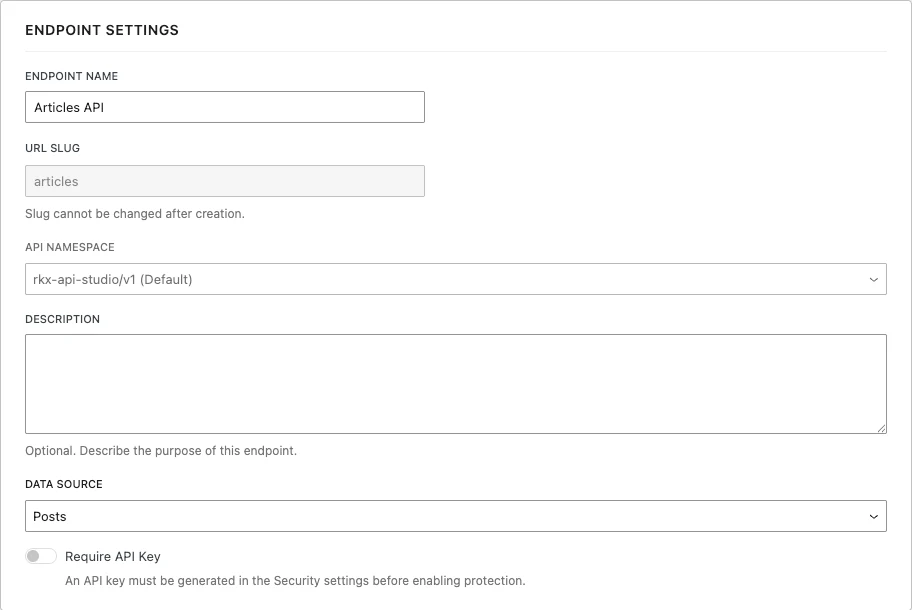
Start with the content already in WordPress.
Choose a post type or taxonomy as your GET endpoint’s source. This real capture shows Posts selected in Endpoint Settings.
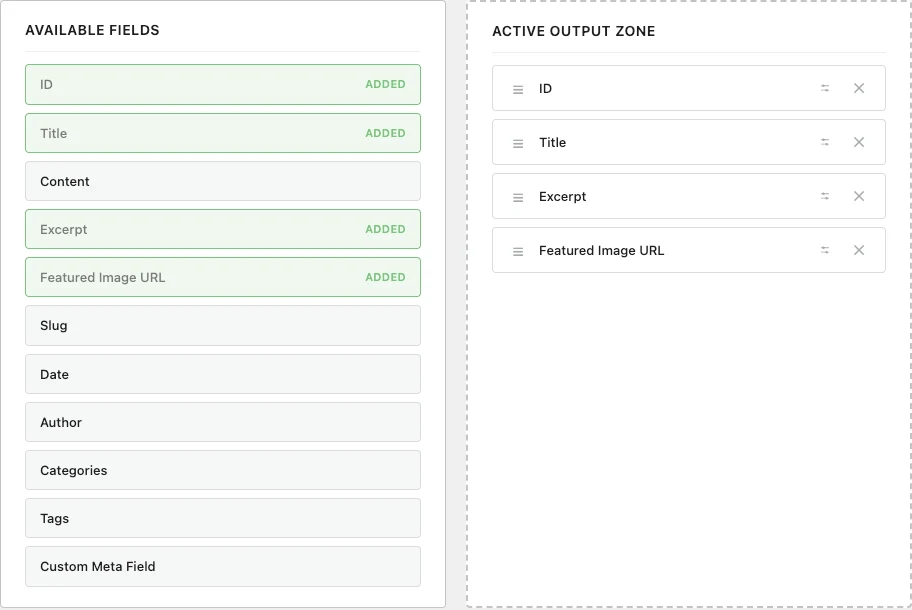
Select the fields your application needs.
Add fields to the Active Output Zone and leave unused values out. Here, ID, Title, Excerpt and Featured Image URL are selected.
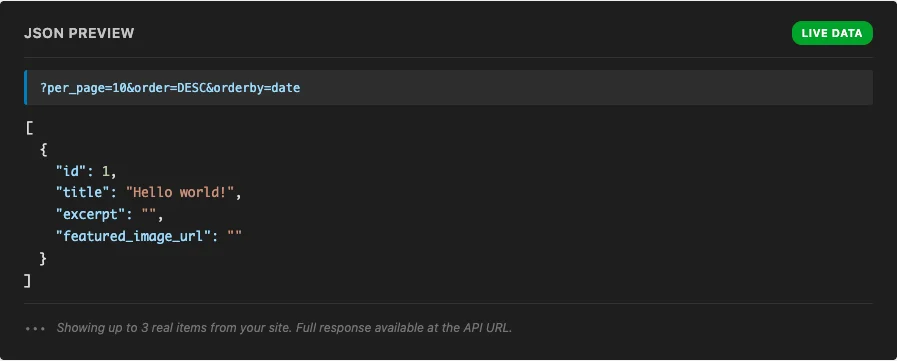
Check the response before you connect your app.
Inspect a sample of live JSON in the builder, then save and test the endpoint URL. Preview is a sample, not the full paginated response.
A clear path from prototype to production.
Install RKX API Studio Free first. Add the separate Pro plugin alongside it when your project needs ACF mapping, structured block output, or regex formatting.
Deploy with the WordPress workflow you already know.
Install Free from the authorized download, then add Pro from your RKXBeta dashboard. Keep Free and Pro active, then open RKX API Studio → License and activate your license to authorize Pro features.
Choose by what your project needs.
Free is usable on its own. Pro extends the same builder. All commercial Pro plans share the capabilities below.
On smaller screens, scroll the table horizontally to compare editions.
| Capability | Free | Free + Pro |
|---|---|---|
| Content and endpoint building | ||
| Visual GET endpoint builderCreate, edit, preview and delete GET endpoints. | Included | Included |
| Posts, pages and custom post typesPublished, unpassworded content from public REST-visible types. | Included | Included |
| Taxonomies and custom taxonomiesTerm output and taxonomy filters for post sources. | Included | Included |
| Core fields and custom metadataBuilt-in fields and selected post or term metadata. | Included | Included |
| Filtering, sorting and paginationStored settings or supported request parameters; 1–100 items per page. | Included | Included |
| JSON import and exportMove endpoint configurations; content and credentials stay separate. | Included | Included |
| Formatting and structured output | ||
| Built-in text formattingOrdered text transforms, including HTML removal, case and date formatting. | Included | Included |
| ACF field mappingSupported ACF fields and nested values; ACF installed separately. | Not included | Included |
| Structured Gutenberg outputStructured values from stored Gutenberg blocks. | Not included | |
Deliver content in the shape your application needs.
Headless frontends
Expose selected post fields for a frontend built outside your WordPress theme.
Content directories
Serve custom post types and taxonomy filters for listings or mobile applications.
Structured content with Pro
Map existing ACF values or format stored Gutenberg content for a custom renderer.
Installation, licensing and support.
Does Free need an account or license?
No. Free works independently and includes GET endpoints, mapping, queries, caching, import/export and single-key protection.
How do I install Pro?
Install Free first. Download eligible Pro releases from My Plugins, upload the ZIP in WordPress and keep both plugins active. Then activate your license under RKX API Studio → License. Read the installation guide.
Can Pro create and update posts without code?
Write routes dispatch authenticated developer hooks. Your integration must supply validation and the actual operation; they do not automatically perform post CRUD.
What happens if my license expires or validation is offline?
Free remains independent. Qualifying existing activations have a bounded expiration grace window; temporary offline authorization also has a deadline. Private updates require current authorization. Read the license policy guide.
Where can I get help?
Browse the documentation, open a customer support ticket or use Contact for presales and account questions. Send version numbers and reproduction steps with secrets removed.
Ready to build your first endpoint?
Install RKX API Studio Free and create your first WordPress REST endpoint in minutes.
Download Free