
Authentication and authorization are not the same thing
Most WordPress REST API confusion starts here.
Authentication answers: who is making this request?
Authorization answers: may they do this, and may they do it to this particular thing?
The two are separate steps in the REST API, and they happen at separate points:
- WordPress resolves the request's credentials into a user (or no user, for an anonymous request).
- The route's
permission_callbackdecides whether that user — including "nobody" — may proceed.
The practical consequence: an unauthenticated request is not automatically rejected. WordPress has many public routes, and a route with 'permission_callback' => '__return_true' is reachable anonymously by design. A route can allow anonymous access; authentication and authorization filters may still reject invalid credentials that a client supplies.
This also means that authenticating is not the same as authorising. A valid Application Password proves a caller is a specific WordPress user. It does not grant that user access to your route. The capability check does that.
Object-level authorization, concretely
Consider a route that updates one specific post. The right check is against the post, not against a role:
'permission_callback' => function ( WP_REST_Request $request ) {
	return current_user_can( 'edit_post', (int) $request['id'] );
},
current_user_can( 'edit_post', $post_id ) asks "may the current user edit this post?". It accounts for post status, post type, authorship and the user's role, in one call.
The tempting alternative — checking a capability like edit_posts — is wrong for this case. It asks "may the current user edit posts in general?", which does not account for ownership or the particular post's status. For example, an author with edit_posts may not edit another author's post. Hard-coding role names (current_user_can( 'administrator' )) is worse still: it ignores the user's actual capabilities and breaks the moment a custom role exists.
Note what this fragment is and is not. It assumes the route has already validated that id is a positive integer, and it is only a permissions fragment — the callback that performs the update must validate the submitted fields independently.
Public reads need no authentication at all
Before choosing a mechanism, check whether you need one.
If the data you want is already public, an anonymous request is correct and simplest:
curl -i 'https://example.com/wp-json/wp/v2/posts?_fields=id,title,slug'No authentication headers or nonce are needed for this public request. Avoid sending a credential when the integration does not require it.
Authentication becomes necessary when the request must either (a) act as a specific user, or (b) reach a route you have configured to require it.
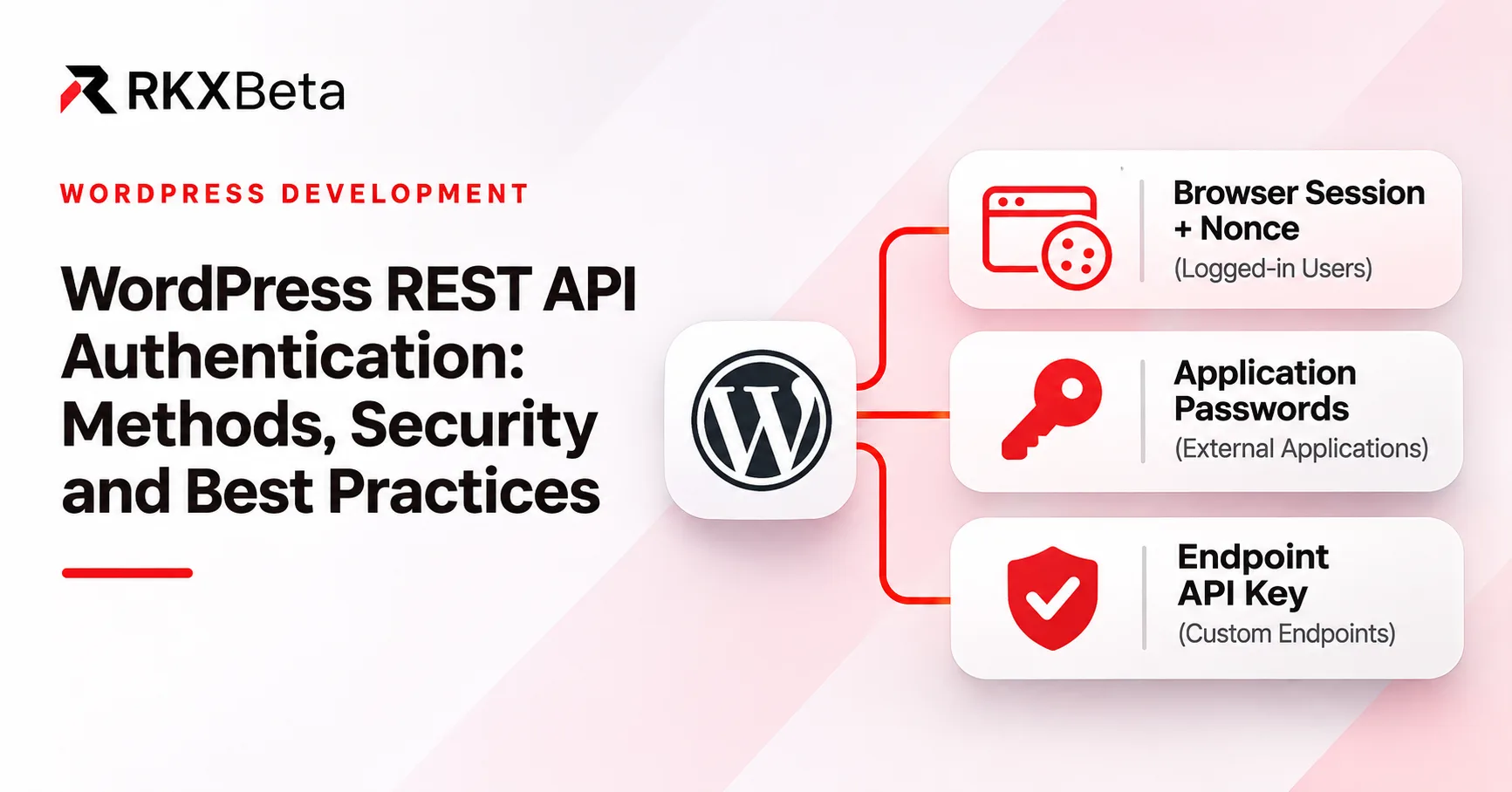
Cookies and REST nonces: a logged-in WordPress interface
This is the mechanism for a page rendered by WordPress itself — an admin screen, a block in a theme, a shortcode output.
When a user logs into WordPress, the browser receives a set of authentication cookies. WordPress's REST API accepts those cookies, and to prevent cross-site request forgery it also expects a REST nonce in the X-WP-Nonce header.
The nonce is generated with the wp_rest action:
wp_create_nonce( 'wp_rest' );Pass the REST URL and a session-specific nonce to your script. Here is an enqueue example for the logged-in WordPress dashboard; add it to a small plugin and place the JavaScript below in assets/rest-example.js relative to that plugin file:
add_action( 'admin_enqueue_scripts', 'rkx_tutorial_enqueue_rest_example' );

function rkx_tutorial_enqueue_rest_example( $hook_suffix ) {
	if ( 'index.php' !== $hook_suffix || ! current_user_can( 'read' ) ) {
		return;
	}

	wp_enqueue_script(
		'rkx-rest-example',
		plugin_dir_url( __FILE__ ) . 'assets/rest-example.js',
		array(),
		'1.0.0',
		true
	);
	wp_localize_script(
		'rkx-rest-example',
		'rkxRest',
		array(
			'meUrl' => rest_url( 'wp/v2/users/me' ),
			'nonce' => wp_create_nonce( 'wp_rest' ),
		)
	);
}
Use an async function so this works as a normal classic script, without requiring a JavaScript module:
(async () => {
  const response = await fetch(rkxRest.meUrl, {
    credentials: 'same-origin',
    headers: { 'X-WP-Nonce': rkxRest.nonce },
  });
  if (!response.ok) {
    throw new Error(`WordPress request failed: ${response.status}`);
  }
  const currentUser = await response.json();
  console.log(currentUser.id); // Demonstration only; do not log private user data.
})().catch((error) => console.error(error.message));
same-origin is already the default credentials mode for fetch; it is explicit here for clarity. A same-origin request sends eligible cookies unless credentials are omitted. Without a REST nonce, WordPress's cookie REST authentication falls back to an anonymous user: public routes can still succeed, while /users/me requires authentication. An invalid nonce instead produces rest_cookie_invalid_nonce with HTTP 403.
What a nonce is, and what it is not
A nonce is a CSRF token. It helps protect cookie-authenticated requests from CSRF by requiring a token tied to the action, user and session. It does not prove a request's origin, and WordPress nonces can be reused during their validity window.
It is not:
- A remote login mechanism. WordPress can generate nonces for logged-out users too, but a nonce does not log anyone in. A logged-in REST request needs the associated session credentials; a server-to-server client should use an appropriate authentication method.
- A long-lived credential. WordPress nonces are tied to a user session and a tick-based lifetime, typically 12–24 hours. They are not designed to be stored and reused over weeks.
- An authorization mechanism. A valid nonce says nothing about whether the user may perform the operation. That is
permission_callback. - Safe to cache publicly. A nonce embedded in a cached page is a nonce you have handed to whoever fetched that page.
WordPress's wp.apiFetch can attach a nonce through configured middleware, as core does on its own screens. It does not make the token invisible: the browser must receive it. Account for expiration/session changes and never put session-specific configuration into a shared public cache.
Application Passwords: trusted external clients
For a server-to-server integration — a deployment pipeline, a mobile app backend, a data sync job — Application Passwords are the built-in mechanism.
Introduced in WordPress 5.6, an Application Password is a separate, revocable credential scoped to one WordPress user. It is used as the password in HTTP Basic authentication, against the username of the user it belongs to.
The credential is created in the admin UI, under Users → Profile → Application Passwords, or Users → All Users → [user] → Application Passwords. WordPress shows the password once. It is not recoverable afterwards.
Using one from the command line
curl prompts for the password when you pass --user with only a username:
curl -i --user "$WP_USER" \
  'https://example.com/wp-json/wp/v2/users/me'
Run this over HTTPS. Basic authentication sends the password base64-encoded, which is encoding, not encryption. Over plain HTTP it is a plaintext credential on the wire. curl prompts for the password rather than reading it from the command line, so it does not end up in your shell history.
In an automated client, use the deployment's secret store. Do not paste the credential into a shell command, a committed script, a CI log or a screenshot.
Properties worth relying on
User-bound. An Application Password authenticates as the user who owns it. It does not impersonate an administrator.
Separately revocable. Revoking one Application Password does not touch the user's account password, their other Application Passwords, or their sessions.
Per-integration. Give every integration its own Application Password. Then "which integration is holding this credential?" has a one-line answer, and revoking one integration does not break the others.
Not a user password. An Application Password is a different credential from the account password and is not affected by password-strength rules for the account itself. Core does not provide OAuth-style per-credential permission scopes, automatic expiry or a refresh-token flow for Application Passwords. Their permissions come from the user; plugins or hosting policy may impose further restrictions.
Least privilege
This is the part people skip. Because an Application Password authenticates as a user, the credential inherits that user's capabilities. The natural mistake is issuing one to an administrator "so it just works".
Instead:
- Create a dedicated user for the integration, with capabilities chosen for the exact routes and objects it needs.
readdoes not grant access to all drafts/private posts, and publishing may also requirepublish_posts; test the intended operations rather than using one generic capability recipe. - Issue one Application Password per integration, to that user.
- Document what it is for, and who owns it.
An Application Password for a restricted user is still an Application Password; the restriction comes from the user's capabilities, which permission_callback then checks.
Availability caveats
Application Passwords are available in modern WordPress, but the exact mechanism is worth confirming on your target version and hosting setup. Check these conditions before relying on it:
- Some hosts disable Application Passwords by default, or filter the REST API by IP or by path. If the request fails with
401, check the host's security plugins and WAF rules before assuming a WordPress problem. - Core normally makes Application Passwords available only over HTTPS or in an explicitly local development environment. Use HTTPS for real integrations; do not enable a local-environment exception on production.
OAuth, JWT and other protocols
It is common to reach for "the JWT plugin" when starting an integration. A few honest observations:
Core WordPress does not give every self-hosted site a universal JWT login endpoint. The bundled REST API authenticates by cookie, by Application Password, by an authentication plugin's own scheme, or by a filter you write. There is no core "issue me a JWT" route.
Additional protocols need a specific, maintained implementation. OAuth 2.0, JWT and OpenID Connect integrations have different security properties and token lifecycles. Adopting one is an architectural and operational decision — key rotation, token storage, audience validation, clock skew, revocation — not a configuration toggle.
Review them as components, not as credentials. An authentication plugin may alter request authentication and access decisions. Its security posture becomes your application's security posture, and it interacts with your host's WAF, your caching layer and your session handling.
Be careful with what you promise an integrator. If you implement a custom JWT scheme, document how tokens are issued, validated, refreshed and revoked. An undocumented token endpoint is worse than no token endpoint.
We do not recommend a particular plugin here, and RKX API Studio does not implement OAuth or JWT. If your integration needs those, choose and evaluate a dedicated implementation for your own requirements.
Permission callbacks, precisely
A route's permission_callback is where authorization lives. Return true to allow access, false to deny it, or a WP_Error for an explicit failure. Do not return a `WP_REST_Response` from a permission callback. WordPress does not use it as a denial response; an unexpected non-error object can allow the main callback to run.
'permission_callback' => function ( WP_REST_Request $request ) {
	return current_user_can( 'edit_post', (int) $request['id'] );
},
Two practical notes:
A permission callback does not perform the action. It only decides. The write happens in the callback, and it must validate the payload independently — a capability check says the user may edit the post, not that the submitted fields are acceptable.
Permission failures are not one universal status code. Depending on where the failure occurs and on your filter chain, you may see 401 (not authenticated), 403 (authenticated but not permitted), or 404. Do not build a client that assumes a single code; read the response body, which carries the specific code string.
Do not guess at client behaviour from memory either. Make the request, read the actual status and body, and write the client against what you observed.
RKX API Studio endpoint keys
RKX API Studio has its own credential model for the routes it manages, and it is worth being precise about how it differs from the WordPress mechanisms above.
Free supports one generated key, sent in a custom header:
curl -i \
  -H "X-RKX-API-Studio-Key: $RKX_API_KEY" \
  'https://example.com/wp-json/rkx-api-studio/v1/articles'
Enable Require API Key on the saved endpoint first; a public endpoint does not require this header. Set $RKX_API_KEY privately in your environment. Never commit a real key to a repository, paste one into a screenshot or include one in published text.
Pro is a licensed add-on that requires active Free Core. It adds named keys, per-endpoint key restrictions, and Authorization: Bearer support. When both a Bearer credential and the X-RKX-API-Studio-Key header are present, the Bearer credential takes precedence. If Bearer is absent, Pro falls back to the RKX header; an invalid Bearer credential does not fall back to an otherwise valid RKX key.
What these keys are not
This is the distinction that matters most, and it is easy to get wrong:
- They are not WordPress user sessions. An endpoint key does not create a logged-in user, does not appear in
wp_users, and does not act as a specific user. - They are not Application Passwords. They do not authenticate
wp/v2routes. - They are not OAuth tokens or JWTs. There is no scope, audience, expiry or refresh flow.
- They do not authenticate arbitrary WordPress administration APIs. They apply to the RKX routes you configured. Sending
X-RKX-API-Studio-Keyto/wp/v2/users/medoes not authenticate a WordPress user — it is simply an unknown header there.
So the rule is simple: use the authentication appropriate to the route: cookies plus a REST nonce or Application Passwords for authenticated core requests, and the configured endpoint key for protected RKX routes. They are not interchangeable and neither is a substitute for the other.
Storing the key
If a front-end bundle needs to call a protected endpoint, understand the constraint first: a shared secret shipped to a browser is not a secret. Anything in a JavaScript bundle can be read by anyone who loads the page. If the endpoint key is in the bundle, treat it as public.
The workable patterns are:
- Call the protected endpoint from your server, where the key can live in a secret store and never reach the browser.
- Expose a public endpoint for data that is genuinely public, and keep the protected one for server-side consumers.
- Where Pro's per-endpoint key restrictions help, they help because they narrow which key reaches which route — not because they make a browser-delivered key secret.
More detail in API Keys & Security and Safe Configuration.
Troubleshooting
Use the response code and body to narrow the cause:
| Symptom | Likely cause |
|---|---|
| `401` on `/users/me` with cookies | Missing REST nonce or missing/omitted login cookie |
| `401` on an Application Password request | Wrong username, revoked credential, or the host blocking Basic auth |
| `403` | Check the error code: a capability denial or invalid REST nonce are possible causes |
| `404` on a route you can see in the index | The route matched but the object lookup failed — or a permission failure is being reported as 404 |
| `rest_cookie_invalid_nonce` (403) | Invalid, expired or session-mismatched REST nonce |
| Works locally, fails through the proxy | The proxy strips the `Authorization` header, or terminates TLS upstream |
| Works in `curl`, fails in the browser | Check CORS, cookies, mixed-content rules and the browser network error |
| Intermittent stale responses | A cache is serving a previous response |
CORS is not authentication
CORS is a browser control. It tells a browser whether JavaScript on https://app.example.com may read a response from https://example.com. The server decides this with Access-Control-Allow-Origin and related headers.
Two misunderstandings are common:
- A CORS error is not an authentication failure. If the browser reports a CORS error, the request may well have succeeded — the browser simply refused to hand the response to the page. Check the network panel for the actual status before chasing credentials.
- CORS does not protect your API. It constrains browsers, not
curl, not scripts, not other servers. Any API that is reachable over the network is reachable by anything that can make a request.
If you need CORS, configure it deliberately for the specific origins you need, and keep it separate from your authentication decision.
Separating origin from proxy
When a request fails behind a proxy but works directly against WordPress, test them independently:
curlthe WordPress origin directly — bypassing the proxy — with the same credentials.curlthrough the proxy with the same credentials.- Compare the status and body.
If step 1 works and step 2 fails under otherwise equivalent conditions, investigate the proxy and the path to the origin: it is dropping Authorization, rewriting the host, or caching the response. If both fail, the problem is WordPress or the credential.
Never log the credential while debugging. Read the username from the environment, let curl prompt for the password, and if you must inspect headers, redact the Authorization value before it reaches a log file or a terminal transcript.
Operational checklist
- [ ] TLS everywhere. No credential, nonce or key over plain HTTP.
- [ ] Least privilege. A dedicated user per integration, with only the capabilities it needs.
- [ ] One credential per integration. Named, owned, documented.
- [ ] Revocation tested. Confirm you can revoke an Application Password and that the client fails immediately afterwards.
- [ ] Rotation planned. Know how you will replace credentials without an outage.
- [ ] Secrets in a secret store. Not in source, not in
.envfiles committed to a repository, not in CI logs, not in screenshots. - [ ] Logs redact credentials. Both
Authorizationheaders andX-RKX-API-Studio-Keyvalues. - [ ] Authenticated responses are not publicly cacheable.
Cache-Control: private, no-storeon responses that vary by user. - [ ] Limits sized for your deployment. Rate limiting and abuse protection are infrastructure decisions. Verify what your host and application actually enforce rather than assuming a plugin provides it.
- [ ] Errors do not leak. A
401should not reveal whether the username exists.
Be precise about that last set. Do not describe a system as having brute-force protection, quotas or CORS configuration unless you have verified that it does.
Where to go next
- WordPress: REST API authentication — the official overview of cookie, nonce and Application Password authentication.
- Application Passwords — creating, using and revoking them.
- WordPress nonces — token lifetime and limitations.
- Cookie REST authentication errors — anonymous fallback and invalid-nonce handling.
- Fetch credentials — the browser's
same-origindefault. - currentusercan() — the capability API behind object-level authorization.
- RKX API Studio — visual endpoint builder with a separate endpoint-key model.
- API Keys & Security — endpoint keys and access control.
- Endpoint Troubleshooting — endpoint and response problems.
For an RKX API Studio endpoint, follow the API Keys & Security guide and verify the response both with and without a key.